Geometry on issues
Attach points, lines or polygons to issues, projects and users. Draw directly on the map or import existing geometry.
Open source Redmine plugins
The Geo-Task-Tracker (GTT) plugin adds maps, geometry and spatial search to Redmine. Locate issues as points, lines or polygons, see them on a map, and filter them by where they are.
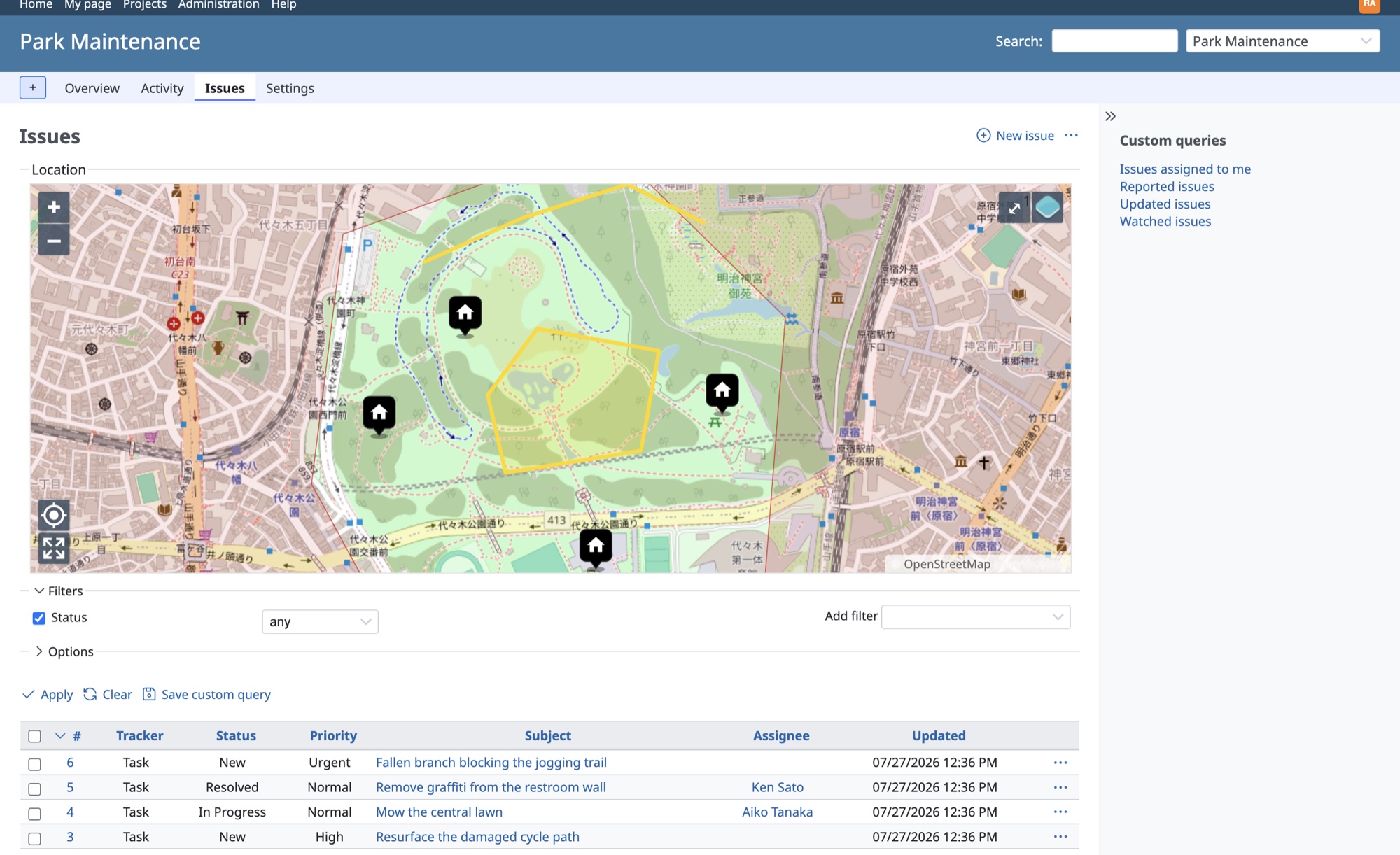
Everything stays plain Redmine: trackers, workflows, permissions and notifications work exactly as before. GTT adds the "where".
Attach points, lines or polygons to issues, projects and users. Draw directly on the map or import existing geometry.
Issue lists, issue details, project overviews and user profiles all get interactive OpenLayers maps that reflect your filters.
Filter issues by map extent or by distance from a location, sort by distance, and show a distance column in the unit you prefer.
Users with a stored location can automatically watch new issues within a chosen distance and get standard Redmine notifications. New in 7.1.
Administrators manage map layers for OSM, XYZ, WMS, WMTS and vector tile sources, and projects pick the layers they need.
The Redmine REST API is extended with GeoJSON geometry and spatial filters, ready for integrations and field data apps.
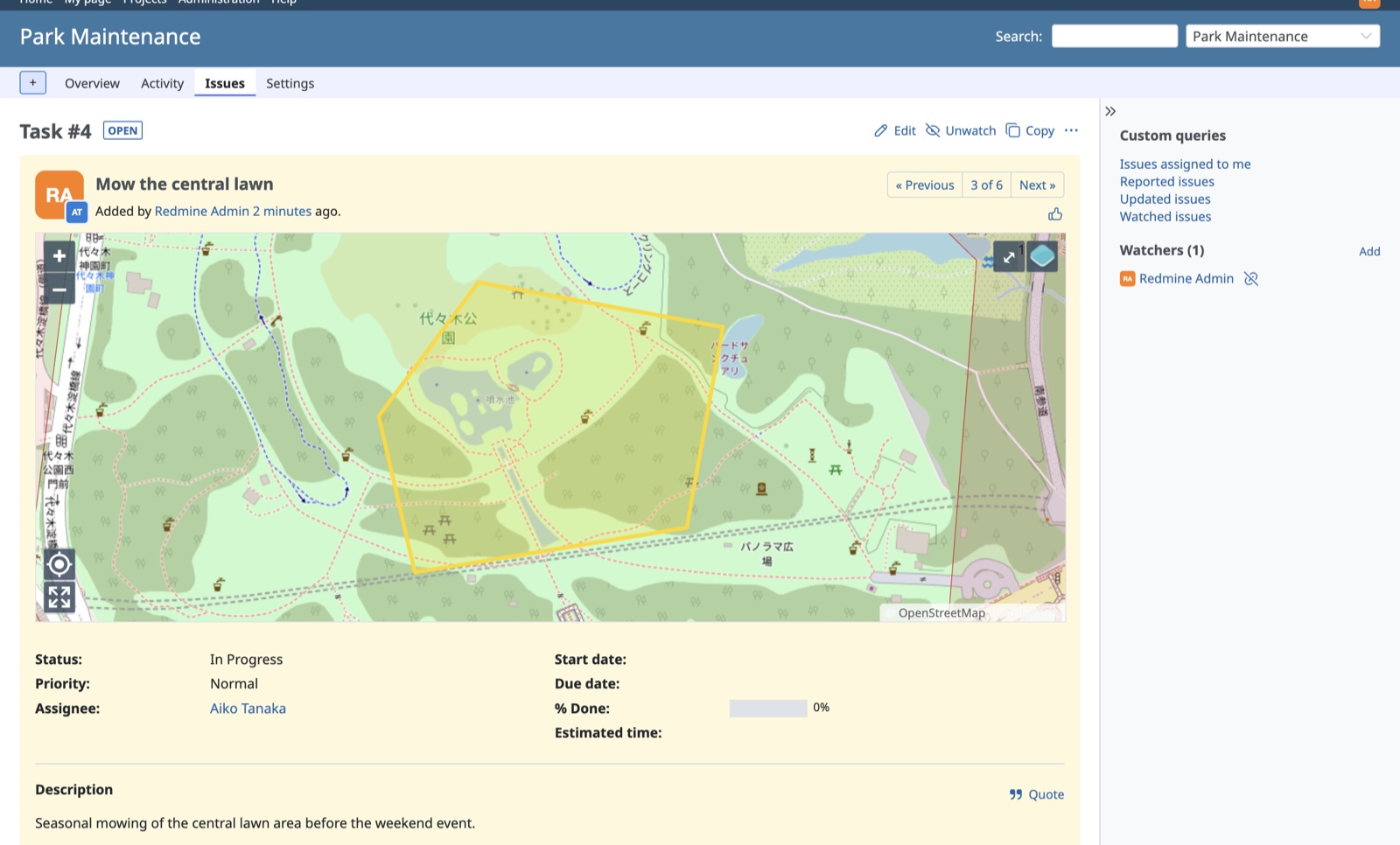
Issue pages show the geometry in context, next to the familiar Redmine attributes, watchers and history. Points, lines and polygons are all first-class citizens.
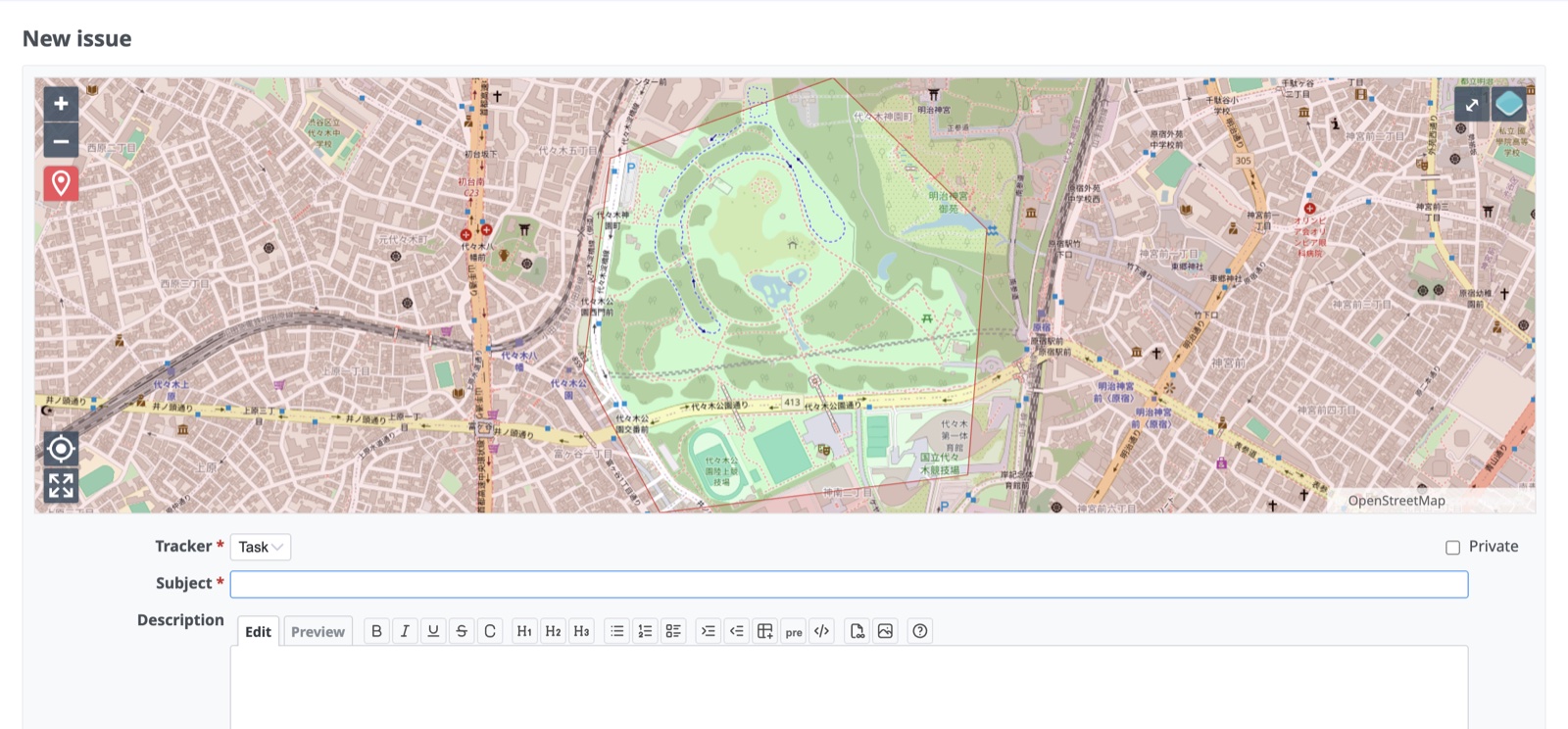
The new issue form opens with a map and drawing tools. Click to set a point, draw a line or sketch an area, then fill in the rest like any other Redmine issue.
GTT is modular: start with the core plugin and add what your workflow needs.
The Geo-Task-Tracker plugin: maps, geometry, spatial filters and the extended REST API.
Turn FIWARE context broker notifications (NGSIv2 and NGSI-LD) into geo-referenced issues.
Run background jobs in Redmine with GoodJob, backed by your existing PostgreSQL.
Reply to issues faster with configurable, reusable text blocks.
Use the SMASH digital field mapping app for mobile data collection with GTT.
Print issues with maps as PDF, using Mapfish Print templates.
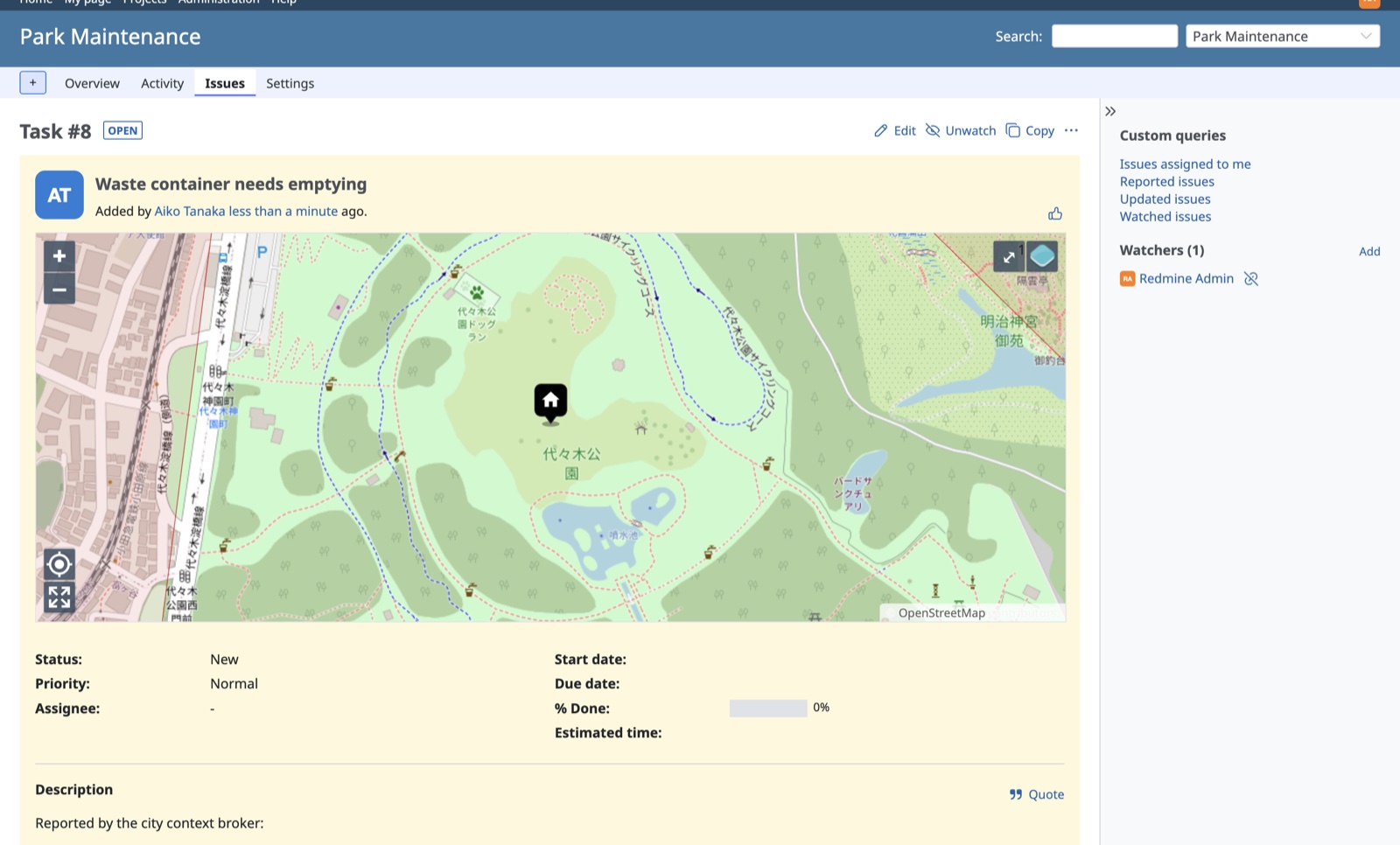
The redmine_gtt_fiware plugin connects GTT to FIWARE context brokers, in both directions. When an entity changes (a waste container fills up, a sensor crosses a threshold, a citizen files a report), a geo-referenced Redmine issue appears exactly where the work is. And the issues themselves can be published back to the broker, so other systems and organizations see what is being worked on.
The broker notifies Redmine, and the plugin does the rest: it renders your templates into subject, description and map geometry, groups repeated notifications for the same entity into one issue instead of flooding the tracker, and authenticates every callback with a per-subscription secret.
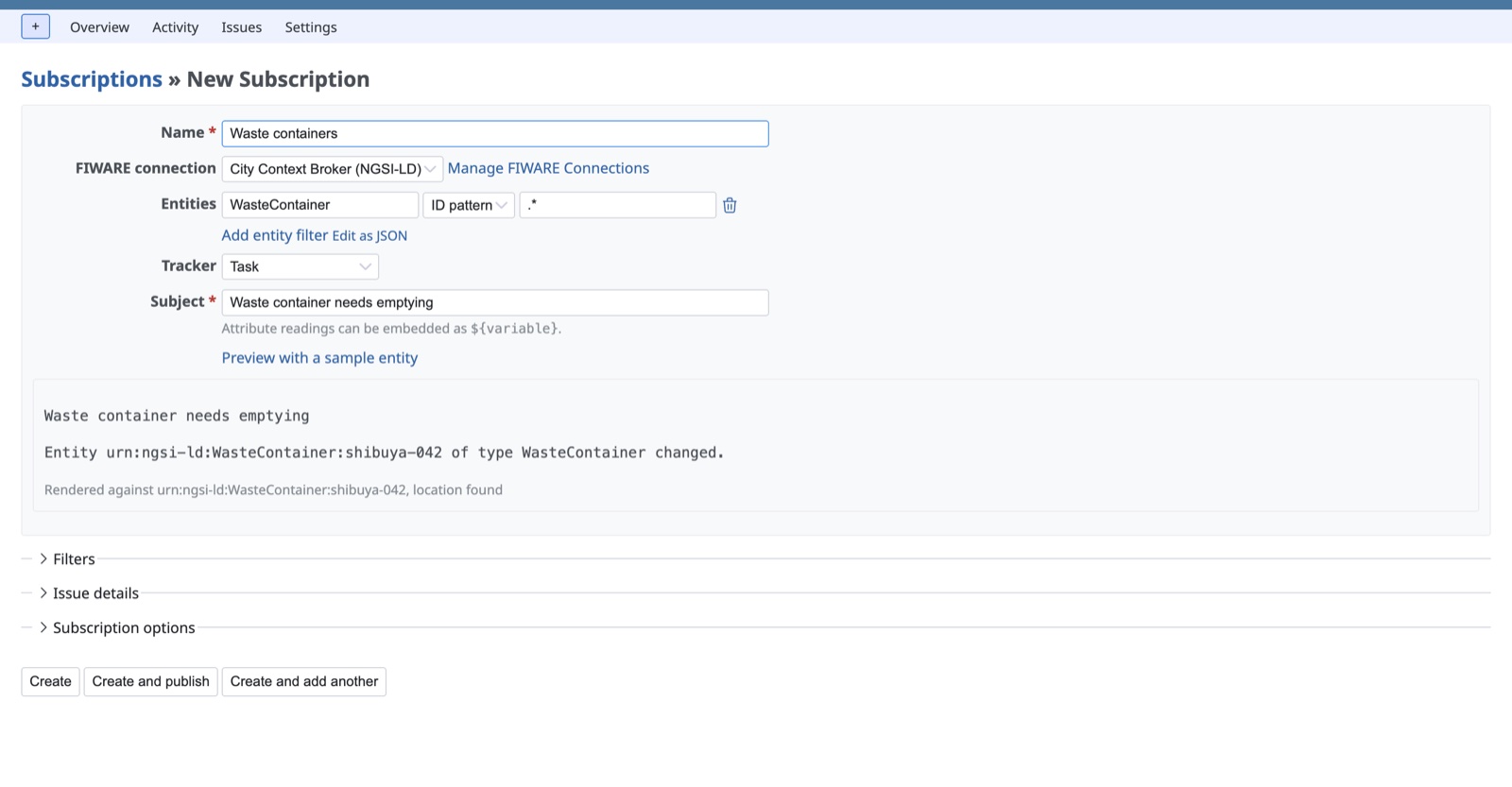
Pick a broker connection, say what to watch, and describe the issue with
${...} placeholders. The live preview renders your template
against a real entity fetched from the broker, before anything is
published.
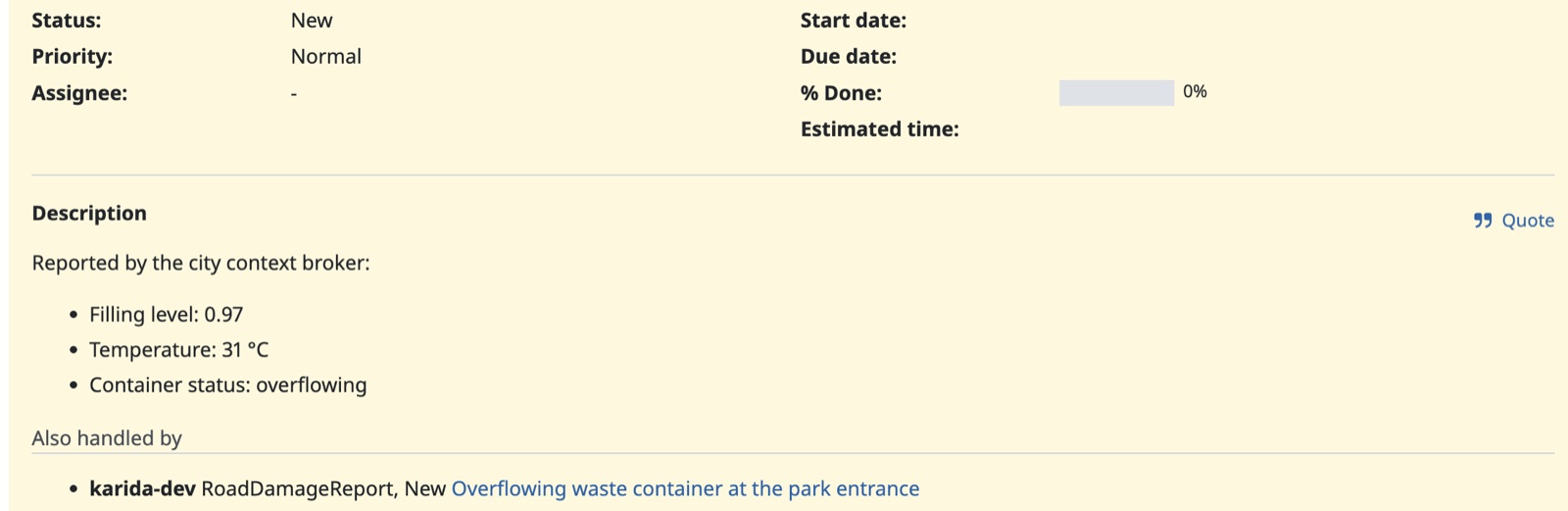
Two organizations share a broker, and both track the same overflowing container. Each issue shows the other organization's work order with its status and a link, new issues can be annotated or suppressed while someone else is already on the problem, and foreign status changes arrive as issue notes. Matching uses a small published data model, not a shared database.
Speaks NGSIv2 and NGSI-LD, with the form adapting to whichever the selected broker uses. Verified live against Orion and GeonicDB.
Tokens stored encrypted, relayed per request, or sent browser-direct,
in any header your gateway expects: Authorization: Bearer,
X-Api-Key, X-Auth-Token.
Every issue can live on the broker as an NGSI-LD Issue
entity with a stable id, kept up to date from creation to closure, so
dashboards and other cities' systems see the state of the work without
touching Redmine.
GTT requires Redmine with PostgreSQL/PostGIS. Each release ships a prebuilt archive, so no Node toolchain is needed on the server.
createdb -U postgres -O redmine redmine
psql -U postgres -d redmine -c "CREATE EXTENSION postgis;"cd /path/to/redmine/plugins
curl -LO https://github.com/gtt-project/redmine_gtt/releases/latest/download/redmine_gtt.tar.gz
tar -xzf redmine_gtt.tar.gzbundle install
bundle exec rake redmine:plugins:migrate RAILS_ENV=production